Website loading speed is one of the most important factors for a good user experience and high search engine rankings. One of the fastest and most efficient ways to speed up your site is by activating GZIP compression.
This feature compresses (reduces the size of) your files (such as HTML, CSS, and JavaScript) on the server before they are sent to the visitor's browser. The result is drastically faster page loading with lower bandwidth consumption.
Here is how to activate this option in just a few clicks.
Step 1: Find the Optimization Tool in cPanel
- Log in to cPanel
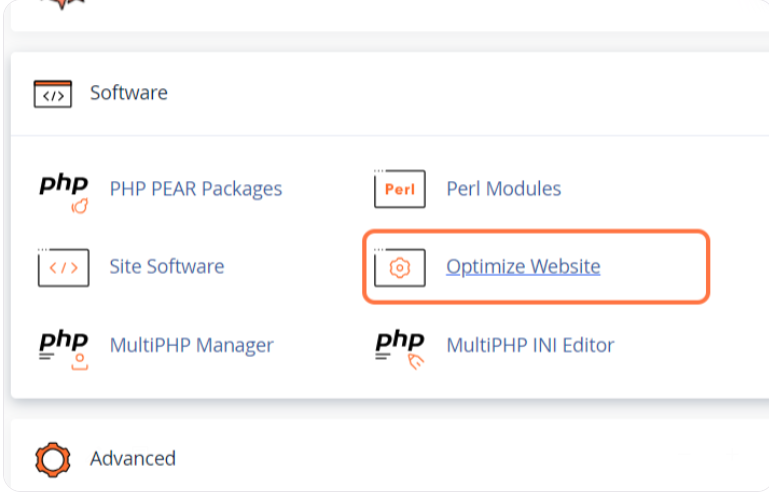
- In the Software section, click on Optimize Website
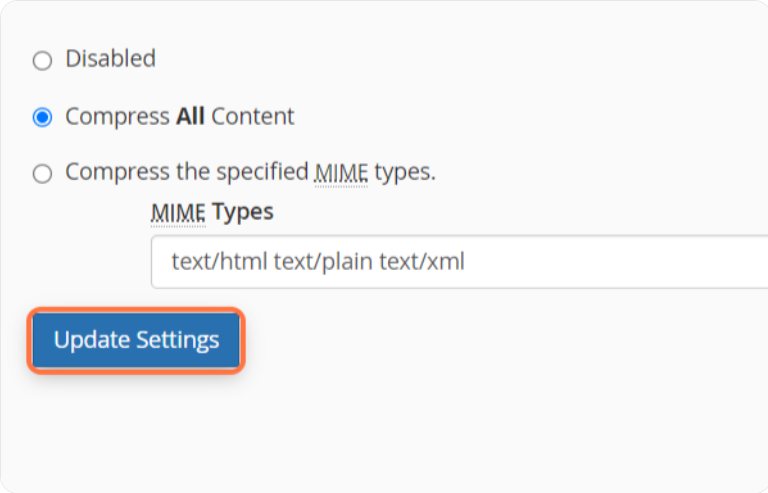
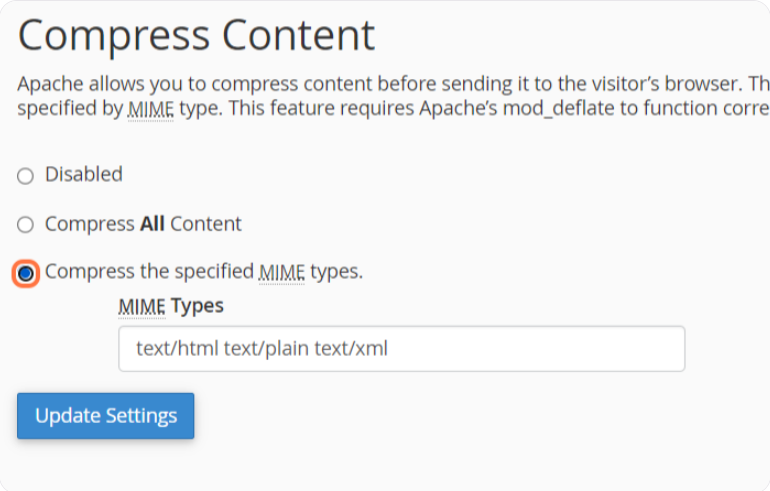
- To enable compression for all content, click on Compress All Content
- Click on Update Settings
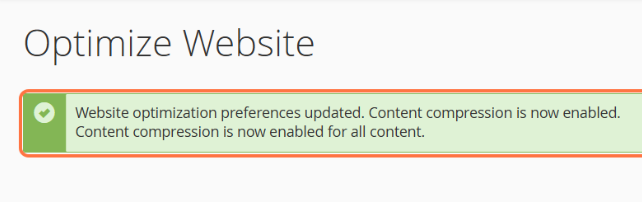
- cPanel will immediately display a green message confirming that the settings have been successfully updated.
- Be sure to thoroughly check your website's functionality after making this change to ensure everything still works and looks as it did before.
- If you encounter an issue with website functionality, you can either deactivate compression again by clicking Disabled or specify which MIME types you want to compress by clicking Compress the specified MIME types, omitting the type causing the problem. Image file formats (e.g., .jpg and .png) already compress data, so they should not be added to the specified MIME types field.
- Click on Update Settings
Step 2: Check if GZIP Compression is Working
After activation, it is good practice to confirm that the server is indeed sending compressed files.
Open one of the free checking tools, such as GiftOfSpeed GZIP Test.
Enter your website's URL and run the test.

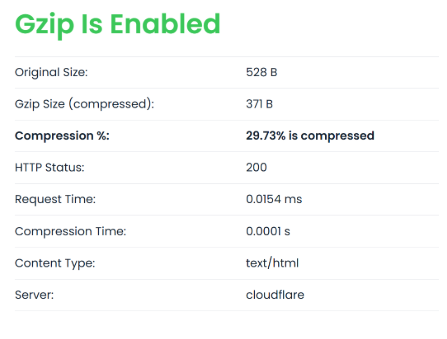
The tool will clearly show you if GZIP has been successfully activated and exactly what percentage (and kilobytes) you have saved through compression.