Why is the Registrar Lock option important?
Registrar Lock is your primary shield against theft and unauthorized changes. While the domain is locked, no one can modify your DNS records or initiate a domain transfer to another provider.
When do you need to unlock a domain?
You must temporarily set the domain status to "Unlocked" in the following situations:
- Changing DNS servers: The registry system blocks nameserver modifications if the domain is locked to prevent abuse.
- Domain Transfer: To initiate a move to another registrar, the domain must be set to a status that allows for transfer.
How to unlock a domain?
- Log in to your user panel
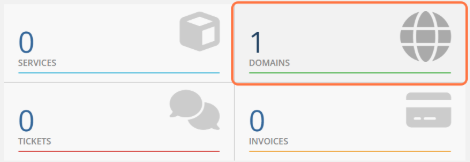
- Click on "DOMAINS"
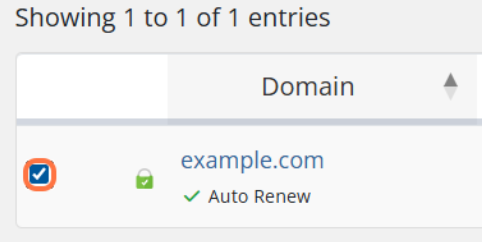
- Click on the checkbox in front of the domain for which you want to change the DNS servers (You can change it for multiple domains at once)
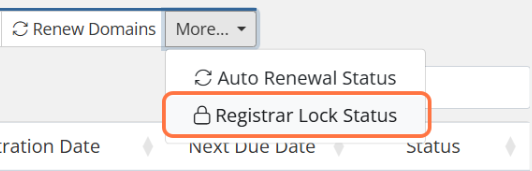
- Click on "More" then "Registrar Lock Status"
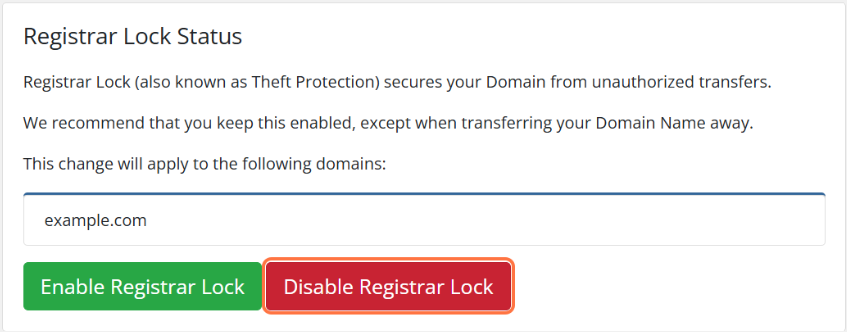
- Click on "Disable Registrar Lock"
- If the unlocking is successful, you will receive a notification "Changes saved successfully" and all selected domains will be unlocked.
There is another way to change the domain lock status if you want to unlock domains one by one:
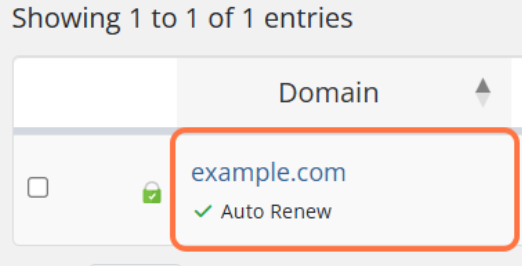
- Click on the domain you wish to unlock
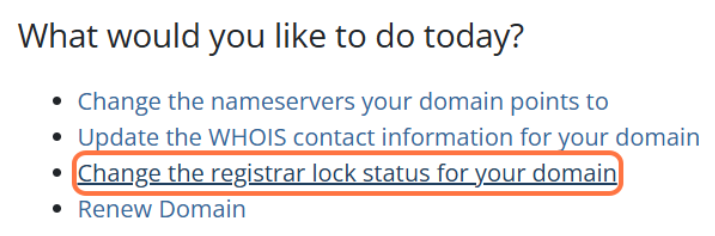
- Click on "Change the registrar lock status for your domain"
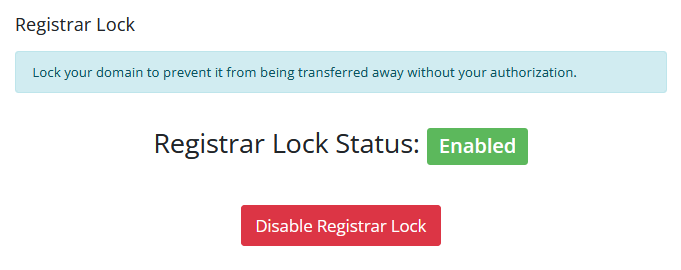
- Click on "Disable Registrar Lock"
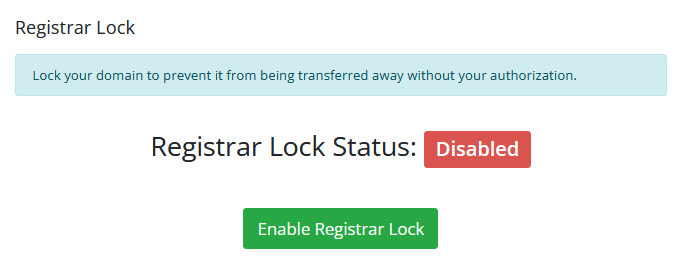
- You will receive a notification "Registrar Lock Status: Disabled"
NOTE: As soon as you finish modifying the DNS or receive the necessary transfer code, it is recommended to lock the domain again. Keeping a domain unlocked without a specific reason leaves your digital assets vulnerable to hijacking attempts and unwanted changes that could take your website offline.